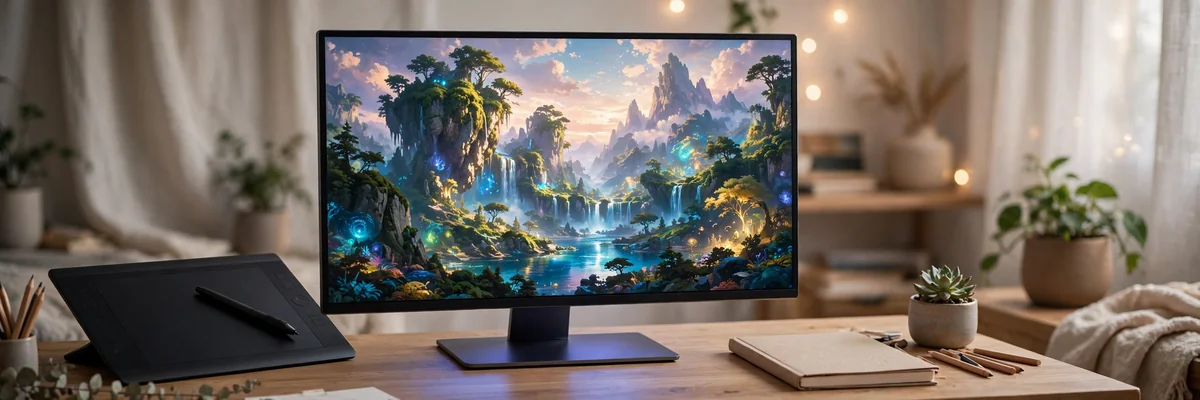
Type a sentence, get a painting. That is the promise of Midjourney, the AI image generator that has become the go-to tool for artists, designers, marketers, and curious creators across America. If you have watched jaw-dropping AI artwork flood your feeds and wondered how people actually make it, this guide on how to use Midjourney is your starting line. You will learn how to sign up, how to write prompts that produce stunning images, which settings control style and quality, and how to turn your generations into real creative projects — all updated for 2026, when Midjourney V7 is the default model and the platform runs as a full web app.
How to Use Midjourney in 2026: The Big Picture
Midjourney is a subscription-based AI service that turns text descriptions — called prompts — into images. You describe what you want (“a lighthouse at sunset, oil painting style”), the model interprets your words, and within a minute you receive four image variations to refine, upscale, or remix. Its models are tuned for aesthetic quality, painterly lighting, and photographic realism that consistently win blind comparisons.
The biggest change from the early days: Midjourney no longer requires Discord. The platform now runs primarily through its web app at midjourney.com, where you sign in with a Google or Discord account, type prompts in a clean interface, and manage all your generations in an organized gallery. Discord remains available as an alternative for longtime users, but beginners should start on the web app — it is simpler, visual, and purpose-built for creating. If you are completely new to digital creativity, our guide to starting digital art in 2026 is the perfect companion to this tutorial.
Signing Up and Choosing a Plan
Midjourney has no free tier as of 2026, so your first decision is a paid plan. The Basic plan costs $10 per month and includes about 3.3 hours of fast GPU generation time — roughly 200 images — which is plenty for learning and casual projects. The Standard plan at $30 per month adds 15 fast hours plus unlimited relaxed (slower) generation, the sweet spot for regular creators. Pro ($60) and Mega ($120) tiers serve heavy users and studios with 30 and 60 fast hours respectively. Annual billing discounts every tier by 20 percent.
Sign-up takes minutes: visit the web app, authenticate with Google or Discord, pick a plan, and enter payment details. Every paid tier includes a commercial-use license, meaning you can sell or use your generations in client work — a major reason freelancers choose Midjourney over free alternatives. Start with Basic; you can upgrade mid-month if you burn through your fast hours, and most beginners never do.
Your First Prompt: How to Use Midjourney’s Imagine Command
Everything in Midjourney starts with a prompt. On the web app, you type into the Imagine bar; in Discord, you type /imagine followed by your description. The model reads your words left to right, weighting earlier words more heavily, so front-load the most important elements: subject first, then environment, then style.
Compare these two prompts. Weak: “dog.” Strong: “a golden retriever puppy sleeping in a sunlit meadow, wildflowers, soft morning light, photorealistic, shallow depth of field.” The second prompt works because it specifies the subject (golden retriever puppy), the action and setting (sleeping in a sunlit meadow), the lighting (soft morning light), and the style (photorealistic, shallow depth of field). Specificity is the entire skill of prompting — the model can only render what you describe.
After submitting, Midjourney generates a grid of four images in about a minute. Beneath each grid you will find buttons: U1–U4 upscale individual images to higher resolution, V1–V4 create new variations of one image, and the refresh button re-runs the same prompt for a fresh set. Beginners should upscale their favorite, then use variations to explore alternatives — this loop of generate, select, and refine is the core creative workflow. For artists coming from traditional media, the variation workflow feels familiar: it is digital sketching, and our Procreate drawing tutorial covers the tablet-side skills that complement AI generation beautifully.
Prompt Engineering: Writing Prompts That Actually Work
Great Midjourney images come from structured prompts. Use this formula: [subject] + [action/setting] + [lighting] + [style/medium] + [details]. Each slot does distinct work. The subject anchors the composition; the setting gives it context; lighting determines the mood more than any other single element; style tells the model which visual language to speak; and details like “intricate” or “cinematic” push quality upward.
Lighting descriptors are the highest-leverage words in your prompt vocabulary. “Golden hour lighting,” “soft studio lighting,” “dramatic rim light,” “volumetric fog,” and “neon glow” each produce radically different images from the same subject. Style words work similarly: “oil painting,” “watercolor,” “cyberpunk,” “art deco poster,” “National Geographic photography,” and “isometric 3D render” are all fluent dialects the model speaks. Build a personal swipe file of style phrases that match your taste — the same instinct for visual vocabulary that powers our watercolor techniques for beginners guide applies to collecting prompt styles.
Parameters — special commands appended to your prompt — give you technical control. The most useful for beginners: –ar 16:9 sets a widescreen aspect ratio (also try 4:5 for portraits, 1:1 for social posts); –style raw reduces Midjourney’s default beautification for more literal, photographic results; –chaos 20 increases variation between the four images; and –v 7 explicitly selects the V7 model. You do not need to memorize dozens of parameters — these four cover 90 percent of beginner needs.
Midjourney V7 Features Worth Knowing in 2026
V7, the default model since its April 2025 launch, rebuilt Midjourney’s architecture from the ground up, and the improvements show in every generation. Hands and anatomy — the historic weak point of AI imagery — are dramatically more reliable. Complex multi-element prompts are followed more faithfully, so “a cat wearing a tiny crown sitting on a stack of vintage books beside a rainy window” actually renders all the elements instead of dropping half of them. Text rendering inside images improved substantially, making posters, logos, and book covers viable use cases.
Three V7 features deserve special attention. Draft Mode generates images roughly ten times faster at half the GPU cost — perfect for iterating on prompt ideas before committing to full-quality renders. Omni Reference lets you upload a reference image of a character, object, or style and keep it consistent across generations, which transforms Midjourney from a slot machine into a storytelling tool. And personalization profiles learn your aesthetic taste from images you rate, subtly biasing future generations toward styles you prefer. Turn personalization on once you have rated enough images; it is like having an assistant who learns your taste.
As of 2026, a V8 alpha is rolling out with native 2K rendering and even faster generation, but V7 remains the stable default most creators should use. Do not chase alpha models as a beginner — master V7 first. For context on how AI imagery fits into the broader design world, our graphic design tips for beginners covers the composition fundamentals that make AI art look professional rather than random.
Editing and Refining: The Built-In Web Editor
Midjourney’s web app includes an editor with inpainting and outpainting tools that many beginners overlook. Inpainting lets you select a region of a generated image and regenerate just that area with a new prompt — fix a mangled hand, swap a background, or change an object’s color without re-rolling the entire image. Outpainting extends the canvas beyond the original frame, turning a square portrait into a widescreen scene.
The refine workflow looks like this: generate four variations, upscale the best, inpaint any flaws, outpaint to your desired composition, then upscale once more for the final. Each step costs GPU time, so work efficiently: get the composition right in the cheap Draft Mode generations before spending fast hours on final renders. This iterative discipline mirrors traditional art practice — study how masters built images layer by layer by visiting an art exhibition and examining finished work up close.
What to Make: 7 Practical Midjourney Projects for Beginners
1. Custom wall art. Generate large-format pieces in styles matching your decor, print through an online print service, and frame them. AI-generated abstract landscapes are especially popular — compare your results with the styles in our modern abstract art trends coverage for gallery-worthy direction.
2. Book covers and thumbnails. V7’s improved text rendering makes simple titles feasible; generate the artwork, then add precise typography in a design tool.
3. Character sheets. Use Omni Reference to design a consistent character, then generate them in multiple poses and expressions — ideal for indie game developers and children’s book authors.
4. Product mockups. Visualize packaging, apparel designs, or interior concepts before spending a dollar on production.
5. Social media content. A week’s worth of on-brand visuals can be generated in an afternoon once your style parameters are dialed in.
6. Reference sheets for traditional art. Generate pose, lighting, and composition references, then paint or draw over them — AI as a sketch assistant rather than a replacement. Photographers use a similar reference-driven approach; see our golden hour photography tips for how lighting references elevate any medium.
7. Gifts and cards. Personalized artwork — a pet portrait in renaissance style, a fantasy map of a friend’s hometown — makes unforgettable gifts. Style the presentation with ideas from our bedroom wall art ideas.
Common Beginner Mistakes (and How to Fix Them)
Prompting too vaguely. “A beautiful woman” produces generic results. Add age, setting, lighting, style, and mood — every specific noun is a steering wheel.
Prompting too long. Past forty or fifty words, the model starts ignoring elements. If your prompt is a paragraph, split it: generate the core scene first, then use inpainting and variations to add details.
Ignoring aspect ratio. The default square grid is rarely what you need. Set –ar before generating, not after — cropping an AI image after the fact wastes composition.
Upscaling the wrong image. Beginners upscale the first decent result. Generate at least three grids, compare, and only then upscale — the best image is usually in grid two or three.
Skipping the editor. Most “AI images look fake” complaints trace to small fixable flaws. Five minutes of inpainting separates amateur output from professional work. Developing this critical eye also deepens your appreciation of traditional craft — our piece on infrared photography fine art explores how new imaging technologies have always challenged and expanded what art can be.
Ethics, Copyright, and Using AI Art Responsibly
Every beginner should understand the landscape. Midjourney’s paid plans include commercial rights to your generations, but AI imagery exists in an evolving legal environment — the US Copyright Office has held that purely AI-generated images without human creative input face limits on copyright protection. For client work, disclose AI use when contracts require it, and add meaningful human creative direction (composition choices, editing, compositing) to strengthen your claim to the final piece.
Respect living artists: prompting “in the style of” a specific contemporary illustrator to replicate their commercial look is widely considered unethical within creative communities, even when it is technically possible. Use style references from art movements, historical periods, and your own taste instead. And never present AI generations as photographs of real events or people — the same honesty standard applies as in our engagement photoshoot trends coverage: authenticity builds trust, shortcuts destroy it.
Learning how to use Midjourney in 2026 means learning a new creative instrument — one where your vocabulary, taste, and judgment matter more than your hand skills. Start on the Basic plan, master the prompt formula, lean on Draft Mode for experimentation, and refine with the editor before you call anything finished. The creators getting the most from Midjourney are not the ones with the longest prompts; they are the ones with the clearest vision. Define what you want to see, describe it precisely, and iterate until the image matches the picture in your head.